
Task
Practice a word or sentence while comparing baseline placement and space between letters.
What You Will Make
One A4 portrait sheet with 10 mm ruling and a guide 20 mm from the drawing left edge. No letter-height midlines or model words are printed.
Settings
- Paper size
- A4
- Orientation
- Vertical
- Display units
- Millimeters
- All margins
- 12 mm
- Pattern color
- #8aaccb
- Line spacing
- 10 mm
- Line width
- 0.2 mm
- Left guide offset (0 = off)
- 20 mm
Create It
- Open the configuration: A4 portrait, Millimeters and All margins 12.
- Set Line spacing 10 and Left guide offset (0 = off) 20; check Line width 0.2 and Pattern color #8aaccb in Line appearance.
- Print one 100% sheet through Print / Save as PDF. Its first horizontal rule is 22 mm from the page top.
- Write a model word and repeat it. Use the space left of the guide for short letter-shape prompts.
Preview

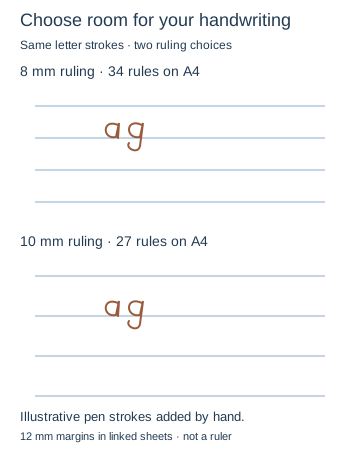
Teaching sketch: marks you add by hand
Print or Export
Download SVG makes one blank ruled sheet. Export Settings keeps the 10 mm ruling and guide. Your handwritten model words are not part of the saved paper.
Match paper size and orientation. Print at 100% / Actual Size and check one test sheet before making copies.
How to Use the Printed Page
Write the same short word on 10 mm ruling and on the tutorial’s 8 mm sheet. Compare baseline consistency, descender room and word gaps before choosing. Repeat a difficult letter pair, checking each line. The teaching diagram is a handwritten-word example; the downloaded page has only rules and a reference guide, not a binder punching layout.
Check the Result
Rules should be 10 mm apart, with one vertical guide 32 mm from the sheet edge. Try the tutorial’s 8 mm setup if this ruling is too wide.